
Browsing free OnlyFans pages is a common activity, and most people who do it want the same thing: to look around without leaving a trail that shows up later. Privacy here is less about hiding and more about separating contexts. A work email, a shared tablet, and a joint bank account all create connections you may not want. The habits below are small, repeatable, and easy to undo.

This guide focuses on free pages, where the subscription price is set to $0 and creators earn through pay-per-view messages and tips. That model matters for privacy because no card is charged at signup on a free page, so the risk shifts from billing records to account history and device traces. Understanding where those traces live is the first step.
Account separation
A separate email address is the single most effective privacy habit for this kind of browsing. It keeps platform notices, password resets, and receipts out of the inbox you share with family, colleagues, or clients. The address does not need to be anonymous; it needs to be distinct.
Use a provider that does not require your full legal name at signup. Keep the password unique and store it in a manager rather than in a browser. If you ever need to recover the account, you will be glad the mailbox is one you control alone.
| Setup | What it reveals | Effort |
|---|---|---|
| Primary email used for everything | Links the account to your identity and daily contacts | None |
| Dedicated secondary email | Limits the link to one inbox you control | Low |
| Separate browser profile plus dedicated email | Keeps cookies, history, and inbox apart from daily use | Moderate |
Ranking sites exist in part because OnlyFans has no built-in discovery feed or directory. That absence pushes browsing toward third-party lists, which means your account separation should also cover where you click. A site that aggregates pages may log visits even when the platform does not.
BestOnlyFans and similar directories publish links for free pages, and those links behave like any other outbound click. Treat the directory as a separate context from your logged-in session. Open links in the same dedicated profile rather than mixing them with personal browsing.

Payment privacy
On a free page, no subscription charge occurs because the price is $0. Money still moves when you send tips or unlock pay-per-view messages, and that is where payment details become visible. The platform fee is 20% on everything — subscriptions, tips, and PPV — and the creator keeps 80%. That split does not change what your bank statement shows, but it does explain why creators push paid messages.
Paid pages run from $4.99 at minimum to $49.99 at maximum. Typical paid pages sit between $4.99 and $15, with averages around $5 to $10. There is no base price below $4.99; only promotional first months may dip under that figure. If you see a lower number advertised, it is a promotion, not the standing price.
| Method | What the statement shows | Reversibility |
|---|---|---|
| Personal debit or credit card | Merchant descriptor tied to your real name | Chargeback possible but visible |
| Prepaid card bought with cash | No name link on the statement | No refund route |
| Virtual card number | Merchant descriptor only, capped limit | Easy to freeze or replace |
One detail catches people out: when a creator raises the subscription price, auto-renew stops. Existing access lasts until the current paid period ends. That is a useful safety valve, because a price change gives you a natural pause to decide whether to continue.
Tip: before you tip on any free page, check whether the card you are using appears on a shared account. A statement line is often the first place a private habit becomes visible to someone else.

Shared devices
A shared laptop or tablet keeps more than cookies. It keeps autofill entries, saved logins, and a history that anyone can scroll. Before browsing on a device you do not own alone, walk through a short checklist.
- Confirm the browser profile is one only you use.
- Turn off password saving for the session.
- Check that autofill is not storing the login.
- Disable “continue where you left off” on restart.
- Sign out of the email tied to the account.
Two-step authentication adds a layer that a shared device cannot easily bypass, because the code goes to your phone. Enable it from the account settings screen rather than leaving it for later. It also protects you if someone else gains access to the login itself.
If the device belongs to a partner or family member, assume they can see installed apps and notification history. That assumption changes what you enable, not whether you browse. Pairing a dedicated email with a dedicated browser profile covers most of the gap.

Browser hygiene
Lingering traces are usually boring: cache files, form history, and a thumbnail in the most-visited grid. None of them are dramatic, and all of them are removable with a routine. Build the routine so you do not have to think about it each time.
- Use a dedicated browser profile for this browsing only.
- Clear cache and cookies when the session ends.
- Avoid saving the page to bookmarks or a reading list.
- Skip extensions that log visited pages.
- Do not sync that profile to a cloud account.
Privacy-focused browsers reduce some of this work but do not remove the need for a separate profile. The goal is separation, not invisibility. A clean profile that nobody else opens solves the practical problem. For a starting point, onlyfans free link collects free pages.

Notifications
Alerts are the most common way private activity becomes visible, because they appear on a locked screen that anyone nearby can read. The fix is straightforward and takes about a minute per app.
- Turn off lock-screen previews for the browser and the mail app.
- Set the dedicated mailbox to fetch manually instead of pushing.
- Disable badges for apps tied to the account.
- Silence the profile during hours when others are around.
Platform emails land in the dedicated inbox, so controlling that inbox controls the noise. A mailbox that only syncs when you open it produces no visible alert at all. That single setting removes most accidental exposure.
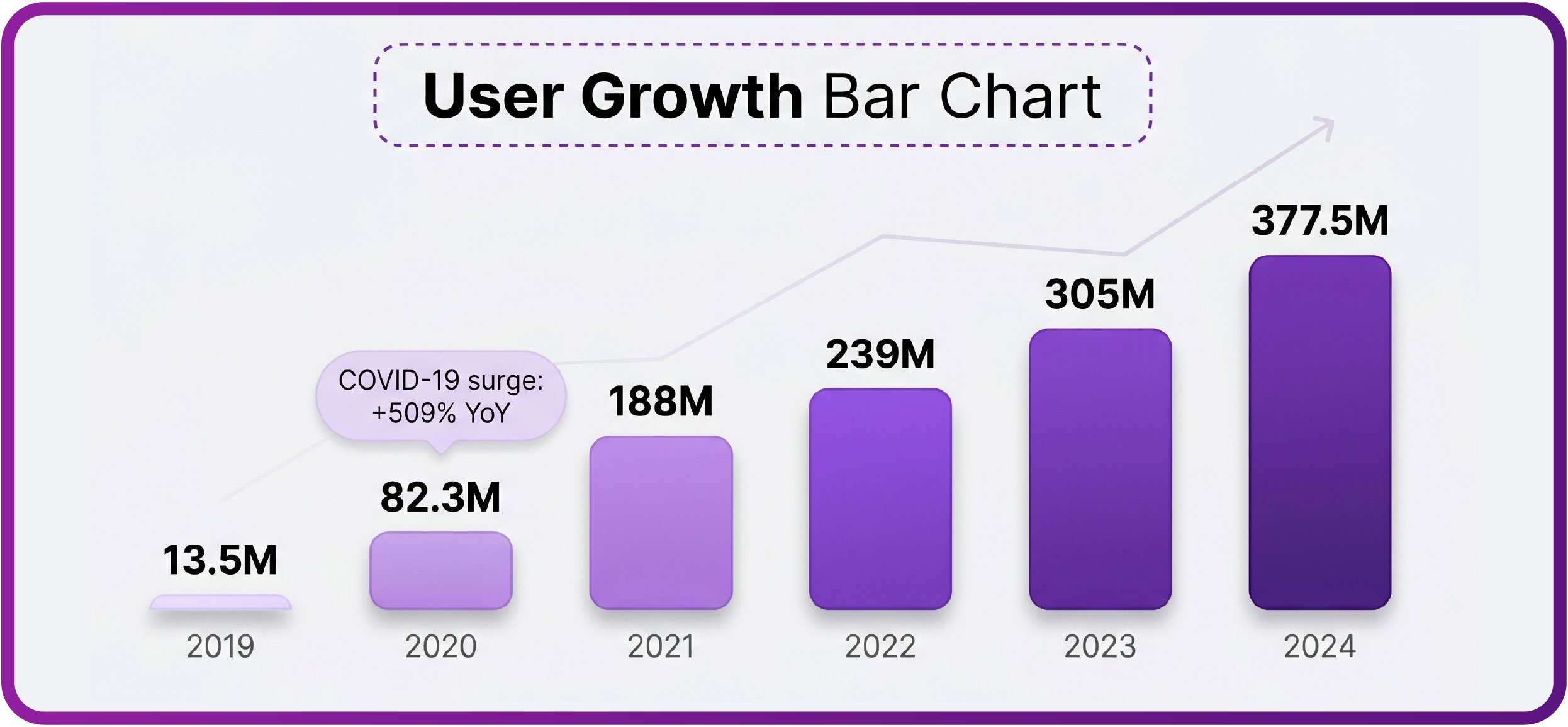
Growth in the platform’s user base means more messages, more promotions, and more notifications by default. The volume is not a reason to skip the settings; it is a reason to set them once and forget them.

Session cleanup
Cleanup is the part most people skip, and it is the part that determines what remains tomorrow. A short end-of-session routine closes the gaps that settings alone do not cover.
- Sign out of the account rather than closing the tab.
- Clear the profile’s cache and site data.
- Check downloads and remove anything saved locally.
- Close the private window if you used one.
- Lock the device before leaving it.
If you used a prepaid or virtual card, note the balance somewhere private rather than on the device. A small written record prevents a surprise decline later. It also keeps the payment method from becoming a visible item in a notes app.
Cleanup pairs well with the account-separation habit described earlier. Together they cover the inbox, the device, and the network trail. Neither is complicated, and both survive a busy week.
When something leaks
Leaks are usually small: a notification read over a shoulder, a shared statement line, or a history entry someone noticed. The response should match the size of the problem, not exceed it.
- Change the password on the dedicated email and the account.
- Enable two-step authentication if it was off.
- Remove the payment method from the account.
- Review active sessions and sign out unknown devices.
- Decide whether to keep or delete the account.
If a subscription is still active, remember that raising a price stops auto-renew and existing access runs to the end of the paid period. That gives you a defined window to plan the next step. You can compare options through an onlyfans free link if you want to keep browsing without a paid commitment.
Warning: never reuse the password from your main email on the dedicated account. One breach then connects both contexts, which is exactly what separation is meant to prevent.
BestOnlyFans publishes free page listings, and directories like it are useful mainly because the platform offers no discovery feed. Use them as a starting point, then apply the same habits to whatever you open from there. The listing site does not change the privacy rules.
None of these steps require technical skill. They require consistency across three places: the inbox, the device, and the payment method. Get those right and most awkward exposure never happens.
It also helps to revisit these habits after any change: a new phone, a new browser, a new card. Each change reintroduces a default that may not match the setup you built. A five-minute review keeps the separation intact. BestOnlyFans readers who follow this pattern tend to report fewer surprises than those who rely on settings alone.
FAQ
Do free pages require a payment method?
No. A free page is priced at $0, so signup does not charge a card. A payment method is only needed if you later tip or unlock a pay-per-view message.
Can I browse without creating an account?
Most pages require a logged-in account to view posts. Directories may show previews, but full access usually needs a free account and a confirmed email.
What happens if a creator raises the price?
Auto-renew stops when the subscription price changes. Your existing access continues until the current paid period ends, and then you choose whether to resubscribe.
How much of each payment reaches the creator?
The platform fee is 20% on subscriptions, tips, and pay-per-view. The creator keeps 80% of whatever you send.